

About Us

about image

At Kingston, we offer the best in e-learning courses, featuring regulated and endorsed qualifications for your career growth.

Know More Know More

We Are Social

Follow Us:

Install NGINX, PHP, MySQL, SSL & WordPress on Ubuntu

Install NGINX, PHP, MySQL, SSL & WordPress on Ubuntu

( 6 Reviews )

clock

1 hour, 31 minutes

book

26 Curriculum

man

0 Students

Course Overview

Congratulate yourself on finding the perfect deal for Ubuntu training. KOC prepared the “Install NGINX, PHP, MySQL, SSL, and WordPress on Ubuntu” course to help you understand the foundations of web hosting and server management. A thorough web development and server administration foundation may be obtained by installing and configuring NGINX, PHP, MySQL, SSL, and WordPress on Ubuntu. The knowledge and skills needed to install and run dependable, secure, and high-performing web applications make this course essential for aspiring web developers, system administrators, or anyone looking to improve their server setup and website deployment abilities.

The well-set curriculum of this course provides systematic coverage of a wide range of essential subjects. The course starts with an overview of its goals and moves quickly into the principles of managing virtual servers. The installation and configuration of the LEMP stack—Linux, NGINX, MySQL, and PHP—are covered in detail in the following sections, giving readers a thorough understanding of these essential web hosting components. It also covers important topics like domain management, integrating PhpMyAdmin for database management on NGINX, implementing SSL for secure communication, and configuring WordPress on the NGINX server, providing a thorough grasp of deploying dynamic websites safely.

Gain expertise in server configuration and web hosting! Take the “Install NGINX, PHP, MySQL, SSL, and WordPress on Ubuntu” course to learn how to set up a reliable web. 

Key features

Learning Outcome

Based on the successful completion of this course, learners will be able to:

Course Details

  • 5+ hours of video lectures and digital resources are available on demand.
  • Learn at your own speed with affordable, high-quality E-learning content. 
  • When you finish the course, you will be given a certificate of completion.
  • Enhance your resume from a globally recognised Accredited Qualification.
  • You’ll discover how effective salespeople use a researched and proven technique to boost their careers.
  • You’ll be able to successfully implement several practical sales strategies and have a deeper understanding of your consumers.

The Install NGINX, PHP, MySQL, SSL & WordPress on Ubuntu course is accessible to all learners from all backgrounds. However, here are the categories of learners who are perfectly suited for this course:
  • Web developers and designers can gain more control and customization by learning server configuration, which will allow them to deploy and manage their websites on their own
  • System administrators can improve their server management skills by learning the nuances of configuring the LEMP stack, implementing SSL, and installing WordPress
  • Aspiring DevOps engineers can learn a lot about building up reliable web hosting setups, a critical competence in DevOps protocols
  • Entrepreneurs and owners of small businesses should learn how to maintain the infrastructure that hosts their websites to minimise reliance on outside resources and maintain an affordable and safe online presence.
  • IT Students and Enthusiasts can Explore practical server setup and website deployment, bridge theoretical knowledge with hands-on experience, and set a strong foundation for future career paths in IT and web development
  • Freelancers and consultants can upskill in web hosting and server setup to offer comprehensive services to clients, increasing their value proposition and competitiveness in the market.
  • Section 01: Introduction
    Apache vs. NGINX
    History of Apache
    Advantages of NGINX
  • Section 02: Virtual Server Basics
    Deploying a Droplet on DigitalOcean
    Attaching a Floating IP
    Connecting to your Virtual Server
  • Section 03: Install & Configure LEMP Stack (Linux, NGINX, MySQL, PHP)
    Install & Configure NGINX
    Install & Configure MySQL on NGINX
    Install & Configure PHP on NGINX
    Creating a PHP Test File
  • Section 04: Domain Names & SSL
    Modifying Domain Name Servers
    Configuring DNS Zone Files
    Updating the NGINX Block File Configuration File
    Installing Let’s Encrypt SSL on NGINX
  • Section 05: PhpMyAdmin on NGINX
    Installing PhpMyAdmin
    Securing PhpMyAdmin with Symbolic Links
    Securing PhpMyAdmin with Authentication Gateways
    Enabling Authentication Gateways on NGINX
  • Section 06: WordPress on NGINX
    Introduction to WordPress
    Creating a Database for WordPress
    Installing PHP Extensions for WordPress
    NGINX Block File Configuration for WordPress
    Downloading WordPress
    WordPress Configuration
    WordPress Setup

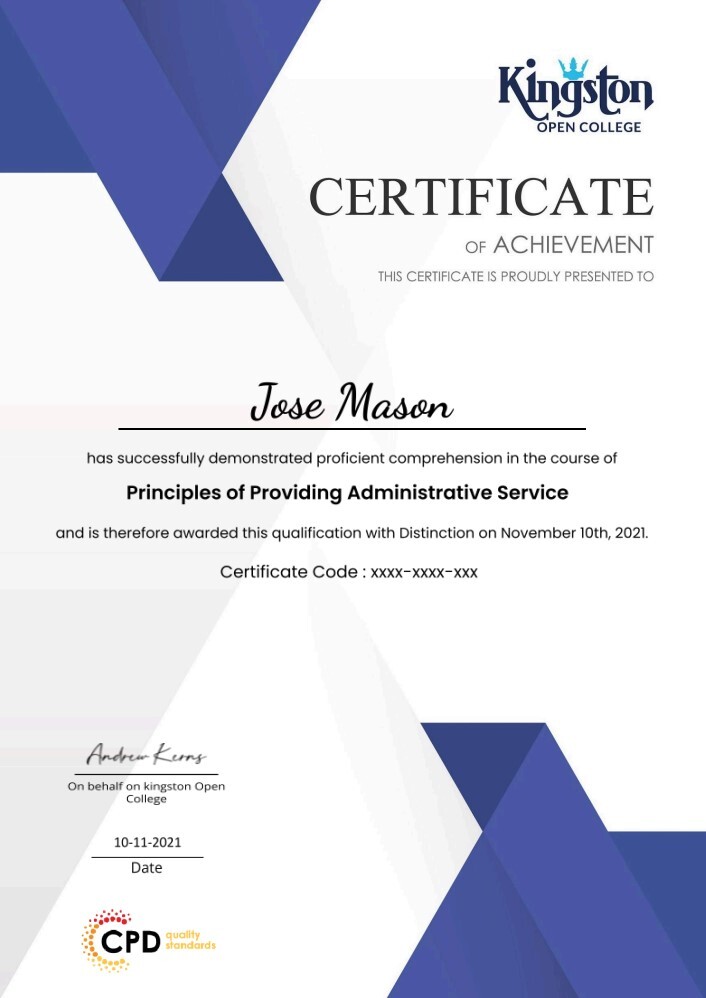
Learners must submit a comprehensive summerised assignment on all the units that will be assessed by our expert tutor if all the learning outcomes are met as per the standard set by QLS. After the quality check, learner will be provided with the“Install NGINX, PHP, MySQL, SSL & WordPress on Ubuntu” While Working from Home certificate.

An endorsed certificate will be issued to learners at the end of the course as recognition of course completion. Provided that learner completes all the assessment of a course can claim for certificate. 

QLS endorsed this certified course as a highly qualified, non-regulated provision and training programme. There will be a trainer to answer all your questions including your progression routes into further higher education. It is a non-accredited course.

There are no  formal requirements needed for this “Install NGINX, PHP, MySQL, SSL & WordPress on Ubuntu” While Working from Home course. So learners do not require any prior qualifications to enrol in this course. 

Get “Install NGINX, PHP, MySQL, SSL & WordPress on Ubuntu” to acquire skills related to jobs, including:

  • Web Developer. Salary Range: £25,000 to £50,000
  • System Administrator. Salary Range: £30,000 to £60,000 
  • DevOps Engineer. Salary Range: £35,000 to £70,000 
  • Technical Support Specialist Salary Range: £20,000 to £40,000 
  • Cloud Infrastructure Engineer Salary Range: £40,000 to £80,000 
  • Database Administrator. Salary Range: £30,000 to £60,000 
  • video Apache vs. NGINX
    00:03:00
  • video History of Apache
    00:02:00
  • video Advantages of NGINX
    00:02:00
imagecert

Course Reviews

4.7

4.7
6 ratings
  • 5 stars0
  • 4 stars0
  • 3 stars0
  • 2 stars0
  • 1 stars0

No Reviews found for this course.

Course Info

info-star
Categories :
book

Lessons : 26

assignment

Assignments : 1

clock

Duration : 1 hour, 31 minutes

packages

Access : 1 year

clear pay

Enrol now, pay later in easy instalments(Interest free) with Clearpay.