

About Us

about image

At Kingston, we offer the best in e-learning courses, featuring regulated and endorsed qualifications for your career growth.

Know More Know More

We Are Social

Follow Us:

Secure an Ubuntu Linux Server against Hackers

( 6 Reviews )

clock

1 hour, 31 minutes

book

26 Curriculum

man

26 Students

£189£129

Take This Course

Course Overview

This premium QLS endorsed Secure an Ubuntu Linux Server against Hackers course comes with intensive study modules, dedicated tutor assistance, customer support, flexible learning opportunity and a globally recognised certification all-together. Thus, successful completion of our Secure an Ubuntu Linux Server against Hackers course will give you limitless opportunities anywhere and everywhere, since the value of QLS endorsed courses are quite high, to say the least!!

What’s more, the quality of our first-class course is uncompromising for both you and us. You will be taught the richest of materials from this exquisite Secure an Ubuntu Linux Server against Hackers course, enabling you to open up a vast world of opportunities for you to grasp and gain success from. For the price point, this course is actually an absolute steal! It’s an investment you absolutely do not want to miss out on!

So, why delay any longer? Benefit your career progression by joining us today and distinguish yourself as, unquestionably, the most skilled one in your workplace!

Key features

Learning Outcome

Course Details

We, as one of the leading eLearning service providers across the globe, strive to provide all our learners with the best eLearning experience possible that can make a real difference in their career progression. 

  • 2+ hours of video lectures and digital resources are available on demand.
  • Learn at your own speed with affordable, high-quality E-learning content. 
  • When you finish the course, you will be given a certificate of completion.
  • Enhance your resume from a globally recognised Accredited Qualification.
  • You’ll discover how effective salespeople use a researched and proven technique to boost their careers.
  • You’ll be able to successfully implement several practical sales strategies and have a deeper understanding of your consumers.

Our course is open for everyone. This Secure an Ubuntu Linux Server against Hackers is ideal for those who aspire to gain in-depth knowledge & efficient skill to embark into the relevant sector as a promising potential. 

  • Module 01: Secure an Ubuntu Linux Server from Hackers Today
  • Module 02: Choosing a server host and setup
  • Module 03: Accessing the Ubuntu Linux server with putty
  • Module 04: How to download Putty for Windows
  • Module 05: Using a password manager like LastPass
  • Module 06: Changing the password with passwd
  • Module 07: Adding a new user with adduser
  • Module 08: Signing in with the added user
  • Module 09: Usermod to give the user sudo or root privileges
  • Module 10: Verify sudo access on user
  • Module 11: Key basic Linux commands cd pwd and ls
  • Module 12: Updating with apt get update
  • Module 13: Installing nano text editor
  • Module 14: Updating sshd config with nano to Permit Root Login no
  • Module 15: Changing the SSH port from 22 to another number
  • Module 16: Setting up RSA login by generating keys with puttygen
  • Module 17: Disabling password logins and ipv6 listening
  • Module 18: Locked out of server and have to start over!
  • Module 19: Back in with a fresh install!
  • Module 20: Installing fail2ban to block IPs from repeated failed logins
  • Module 21: Install UFW or Uniform Fire Wall to block some DDOS attacks
  • Module 22: Install and configure ntp to sync time
  • Module 23: Thank you very much for watching this complete Ubuntu Linux server
  • Module 24: Steem witness setup downloading blocks
  • Module 25: Steem witness setup finishing adding a new user
  • Module 26: Steem witness setup installing steem docker

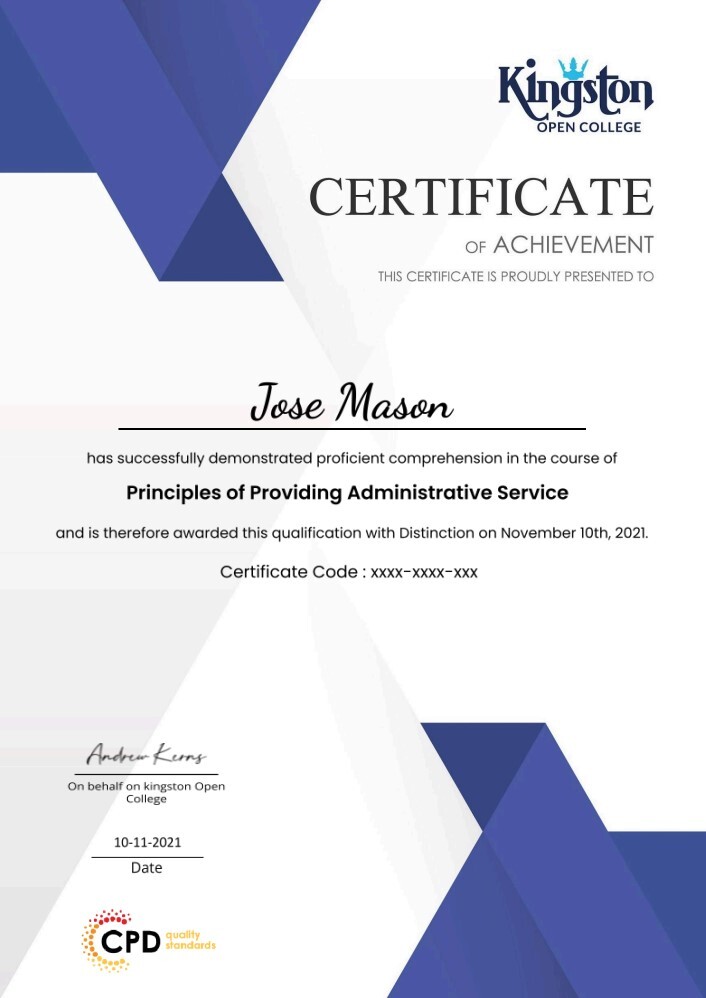
Learners must submit a comprehensive summerised assignment on all the units that will be assessed by our expert tutor if all the learning outcomes are met as per the standard set by QLS. After the quality check, learner will be provided with the Secure an Ubuntu Linux Server against Hackers certificate.

An endorsed certificate will be issued to learners at the end of the course as recognition of course completion. Provided that learner completes all the assessment of a course can claim for certificate. 

QLS endorsed this certified course as a highly qualified, non-regulated provision and training programme. There will be a trainer to answer all your questions including your progression routes into further higher education. It is a non-accredited course.

There are no  formal requirements needed for this Secure an Ubuntu Linux Server against Hackers course. So learners do not require any prior qualifications to enrol in this course. 

  • video Module 01: Secure an Ubuntu Linux Server from Hackers Today
    00:09:00
  • video Module 02: Choosing a server host and setup
    00:03:00
  • video Module 03: Accessing the Ubuntu Linux server with putty
    00:03:00
  • video Module 04: How to download Putty for Windows
    00:01:00
  • video Module 05: Using a password manager like LastPass
    00:03:00
  • video Module 06: Changing the password with passwd
    00:02:00
  • video Module 07: Adding a new user with adduser
    00:03:00
  • video Module 08: Signing in with the added user
    00:01:00
  • video Module 09: Usermod to give the user sudo or root privileges
    00:01:00
  • video Module 10: Verify sudo access on user
    00:01:00
  • video Module 11: Key basic Linux commands cd pwd and ls
    00:04:00
  • video Module 12: Updating with apt get update
    00:01:00
  • video Module 13: Installing nano text editor
    00:01:00
  • video Module 14: Updating sshd config with nano to Permit Root Login no
    00:09:00
  • video Module 15: Changing the SSH port from 22 to another number
    00:04:00
  • video Module 16: Setting up RSA login by generating keys with puttygen
    00:11:00
  • video Module 17: Disabling password logins and ipv6 listening
    00:02:00
  • video Module 18: Locked out of server and have to start over!
    00:02:00
  • video Module 19: Back in with a fresh install!
    00:02:00
  • video Module 20: Installing fail2ban to block IPs from repeated failed logins
    00:07:00
  • video Module 21: Install UFW or Uniform Fire Wall to block some DDOS attacks
    00:03:00
  • video Module 22: Install and configure ntp to sync time
    00:05:00
  • video Module 23: Thank you very much for watching this complete Ubuntu Linux server
    00:05:00
  • video Module 24: Steem witness setup downloading blocks
    00:03:00
  • video Module 25: Steem witness setup finishing adding a new user
    00:01:00
  • video Module 26: Steem witness setup installing steem docker
    00:04:00
imagecert

Course Reviews

4.7

4.7
6 ratings
  • 5 stars0
  • 4 stars0
  • 3 stars0
  • 2 stars0
  • 1 stars0

No Reviews found for this course.

Course Info

info-star
Categories :
book

Lessons : 26

assignment

Assignments : No assignments

clock

Duration : 1 hour, 31 minutes

packages

Access : 1 year

clear pay

Enrol now, pay later in easy instalments(Interest free) with Clearpay.